
AFRAID OF MAKING
A BAD HIRE?
Is IT keeping you overworked &
under-supported?
GET UNSTUCK!
GET THE HIRING SUCCESS KITS NOW!
AFRAID OF MAKING
A BAD HIRE?
Is IT keeping you overworked &
under-supported?
GET UNSTUCK!
GET THE HIRING SUCCESS KITS NOW!
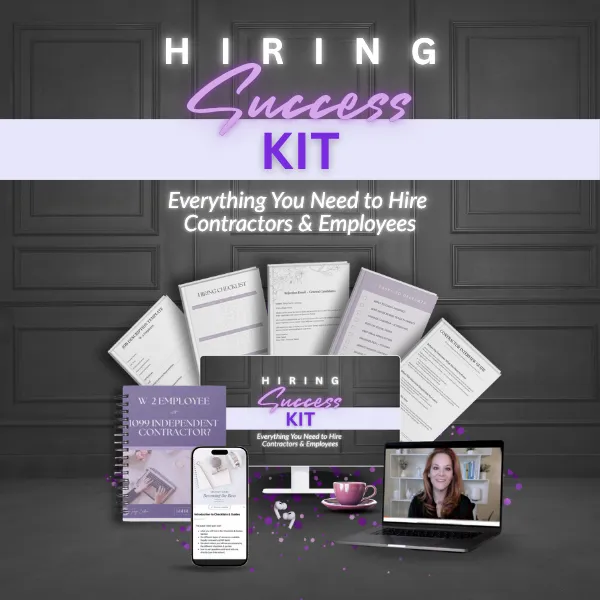
AFRAID OF MAKING
A BAD HIRE?
Is IT keeping you
overworked &
under-supported?
GET UNSTUCK!
GET THE HIRING
SUCCESS KITS NOW!
AFRAID OF MAKING
A BAD HIRE?
Is IT keeping you overworked &
under-supported?
GET UNSTUCK!
GET THE HIRING SUCCESS KITS NOW!

LEGACY BUSINESS BUILDERS • December 16, 2025
What Your Business Is Telling You About The Way You Lead
LEGACY BUSINESS BUILDERS • July 1, 2025
Why Your Hires Don't Work Out (And What to Do Differently)


Hey There, I'm
Taryn Cadena
Hey There, I'm
Taryn Cadena
I turned years of HR experience into simple, affordable systems to help women entrepreneurs build effective teams and step into their CEO power! I love sugary coffee, early mornings, and brainstorming new ideas with amazing women. I’m happiest in yoga pants, snuggled with my laptop and my dog Napper. My mission? To help women entrepreneurs create powerhouse teams, lead like CEOs, and build highly successful businesses that last!
Hey There, I'm
Taryn Cadena
I turned years of HR experience into simple, affordable systems to help women entrepreneurs build effective teams and step into their CEO power! I love sugary coffee, early mornings, and brainstorming new ideas with amazing women. I’m happiest in yoga pants, snuggled with my laptop and my dog Napper. My mission? To help women entrepreneurs create powerhouse teams, lead like CEOs, and build highly successful businesses that last!
LEGACY BUSINESS BUILDERS • December 16, 2025
From Hustle Mode to Hiring Like a CEO
Hiring help is one of the most exciting milestones in your business. It means you’ve outgrown DIY mode. But it also comes with a ton of responsibility and risk.
If you’ve ever sat through a full interview only to realize five minutes in the person wasn’t even close to a fit, you’re not alone. That’s what happens when you skip the phone screen.
Phone screening is the most underrated and powerful step in the hiring process. It’s how smart founders protect their time, set boundaries, and move forward with confidence.
The Problem: Hiring Without a Filter
Most small businesses don’t use a structured interview process. They put out a job ad, skim through resumes, and jump straight into interviews.
This often leads to:
Spending time with people who don’t meet basic qualifications
Wasting energy on poor-fit applicants who sound good on paper
Feeling rushed or frustrated during the interview process
You don’t need to add more chaos to your calendar. You need a filter.
What a Phone Screen Actually Does
The purpose of a phone screen is simple:
Confirm the basics and eliminate obvious bad fits, fast.
It helps you:
Clarify anything confusing on their resume (education, gaps, part-time work, etc.)
Confirm availability, tech access, and dealbreakers
Hear their communication style and professionalism
Ask a few quick questions tied to your top hiring criteria
You’re not trying to uncover their life story. You’re trying to decide if it’s worth moving them forward.
How to Make It Simple (Even If You’re New to This)
You’re a small business, not a legal expert. But knowing what you can’t ask in an interview is just as important as knowing what you should.
Here’s a no-fluff guide to the most common legal traps:
Free up your time for CEO-level tasks
Help you hit revenue goals faster
Improve client experience and retention
Reduce burnout and business stagnation
Before you post a job ask yourself:
What does the business need most?
Do I need help generating revenue?
Do I need more efficiency behind the scenes?
Here’s a simple structure to follow:
1. Set aside 15 minutes and let them know this is a short screen.
2. Use a warm, friendly tone. This helps ease nerves and encourages honest answers.
3. Start with clarity questions. Ask about anything unclear in their application.
4. Ask 3–5 key screening questions. These should reflect the traits or skills required for success in the role.
5. Wrap up with next steps. Let them know when they’ll hear from you.
Want Templates?
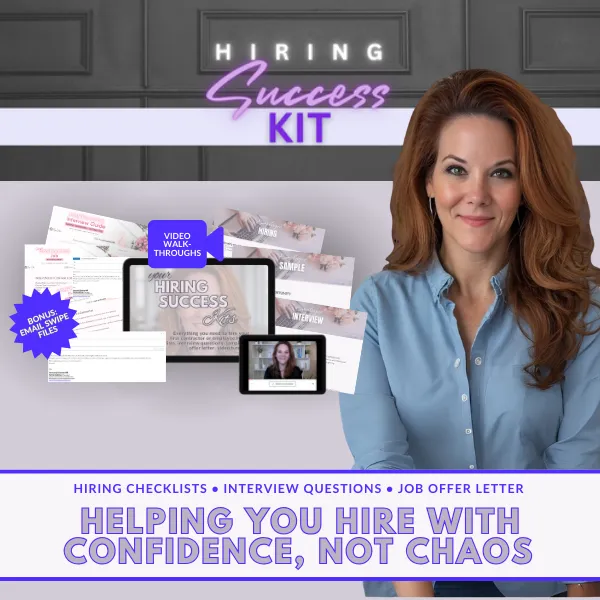
My Hiring Kit includes ready-to-use phone screening checklists and interview guides made for small businesses.
Phone Screen Questions That Actually Work
These questions aren’t random, they’re based on what you actually need this person to be able to do.
Start with your dealbreaker questions and a few behavior-based questions that screen for your top required traits.
For example:
Sample Dealbreaker Question #1:
“When you’re given access to a new tool or system at work, how do you usually go about learning it?”
What this reveals:
You’re not just checking if they’ve used a specific tool before. You’re looking for signs of adaptability, self-motivation, and tech confidence. Their answer tells you whether they problem-solve independently, get overwhelmed by new systems, or have a proactive process for picking things up quickly.
What a great answer sounds like:
“I usually click around to get a feel for it, then check for any help guides or tutorials. If I can’t find what I need, I’ll search for YouTube videos and ask someone for a quick walkthrough. I pick things up pretty fast once I’ve had a little time with the system.”
Red flag answer:
“I usually wait for someone to train me,” or “I get frustrated with new software unless it’s really easy.”
Sample Dealbreaker Question #2:
“Tell me about a time you had to manage multiple priorities at once. What did you do?”
Why it’s a good question:
This question shows how someone organizes their time under pressure and how they think through competing demands.
What it reveals:
You’ll learn whether they can self-manage, stay calm when juggling tasks, and communicate clearly when things pile up.
What a great answer sounds like:
“One week I had two overlapping deadlines. I broke both projects into steps, blocked time on my calendar, and gave my manager a heads-up so we could adjust expectations. I stayed late one night to wrap it all up.”
Red flag answers:
“I just try to get through it,” or “I wait to see which one my manager says is most important.”
Sample Dealbreaker Question #3:
“What kind of work environment helps you do your best work?”
Why it’s a good question:
It helps you spot early signs of misalignment between the role and the candidate’s preferences before you invest more time.
What it reveals:
You’ll learn what they expect in terms of structure, pace, and feedback. You can quickly assess if their style fits the way your business operates.
What a great answer sounds like:
“I like clarity and space to work independently, but also appreciate occasional feedback and the chance to ask questions when needed.”
Red flag answers:
“I sometimes struggle to stay on task,” especially if they don’t mention any systems or practices that help them stay focused or productive. Also watch for candidates who say they “need someone checking in” to stay on track or who rely heavily on external pressure to follow through on work.
These questions help you:
Eliminate people who aren’t qualified or self-directed
Spot people who’ve done similar work and understand expectations
Hear how they think and communicate
If you use the Hiring Kits, you’ll get pre-written screening questions tailored to different roles. You don’t have to make them up on the fly.
Don’t Paint Red Flags White
Here’s the hard truth: You can’t afford to talk yourself into a hire.
If a candidate gives you an answer that doesn’t align with what you’re looking for - believe them.
Don’t rewrite their answer in your mind. Don’t make excuses for why it might be fine. That kind of wishful thinking is how small business owners end up hiring people they like… but who can’t (or won’t) actually do the job.
If you really like the person and want to explore further, that’s okay. Just treat the red flag as a data point. You can ask additional follow-up questions in the next interview to dig deeper. But don’t ignore the concern or gloss over it.
When you justify red flags, you invalidate your own process. You might as well not have done the interview.
So here’s your rule:
Accept the answer as it is.
Use it to make a real decision.
That’s how you hire with clarity, not chaos.
The Real CEO Move: Use Structure, Not Gut Instinct
We don’t make hiring decisions based on a “good feeling.”
Instead we:
Define the job and traits needed for success
Build the job ad and screening process around those
Ask questions designed to test those traits
Make decisions based on what we hear and observe, not vibes
Hiring this way builds clarity and consistency, even if you’ve never done it before.
Reality for growth’s sake: Hiring isn't just a task on your to-do list. It's a turning point.
You’re not just filling a role, you’re learning to lead.
You’re not just screening candidates, you’re protecting your time, your peace of mind, and your ability to grow without burning out.
Because the real goal isn't just getting help. It's building a business that doesn't constantly depend on you to survive.
It’s being able to log off on Friday without worrying what got missed.
It’s having space to think clearly, rest, and actually enjoy what you’ve built.
That kind of business doesn’t happen by winging it.
It happens when you slow down, use structure, and make intentional hiring decisions, starting with a 15-minute phone screen.
Structure isn't just practical. It's what sets you free.
Phone Screens Aren’t Fancy, They’re Foundational
Skipping this step is like skipping skincare and wondering why your glow-up isn’t glowing.
As a CEO, your job is to make smart decisions about who gets access to your time and business. A 15-minute phone screen helps you do exactly that.
It protects your peace, gives you confidence, and sets the tone for a smoother hiring process from start to finish.
Want a Simpler Way to Start?
Check out my Hiring Kits! They include sample job ads, interview guides, screening templates, and more. Perfect for first-time founders hiring team members the right way.
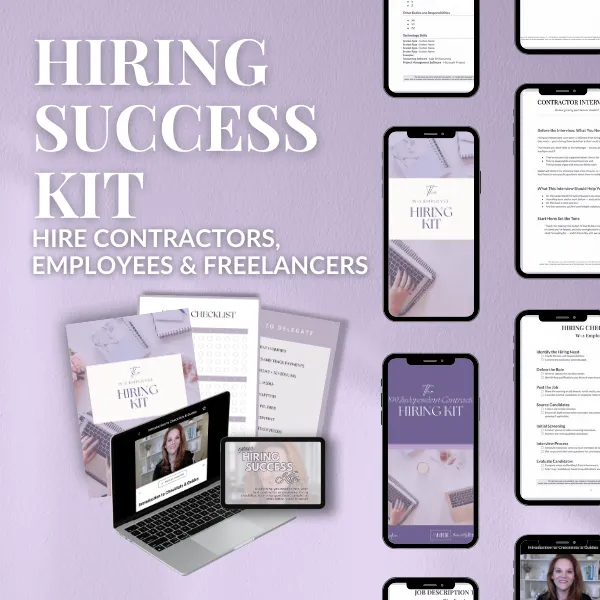
Or take the Hiring Quiz to find out if you should hire an employee or a contractor first.
From Hustle Mode to Hiring Like a CEO
Hiring help is one of the most exciting milestones in your business. It means you’ve outgrown DIY mode. But it also comes with a ton of responsibility and risk.
If you’ve ever sat through a full interview only to realize five minutes in the person wasn’t even close to a fit, you’re not alone. That’s what happens when you skip the phone screen.
Phone screening is the most underrated and powerful step in the hiring process. It’s how smart founders protect their time, set boundaries, and move forward with confidence.
The Problem: Hiring Without a Filter
Most small businesses don’t use a structured interview process. They put out a job ad, skim through resumes, and jump straight into interviews.
This often leads to:
Spending time with people who don’t meet basic qualifications
Wasting energy on poor-fit applicants who sound good on paper
Feeling rushed or frustrated during the interview process
You don’t need to add more chaos to your calendar. You need a filter.
What a Phone Screen Actually Does
The purpose of a phone screen is simple: Confirm the basics and eliminate obvious bad fits, fast.
It helps you:
Clarify anything confusing on their resume (education, gaps, part-time work, etc.)
Confirm availability, tech access, and dealbreakers
Hear their communication style and professionalism
Ask a few quick questions tied to your top hiring criteria
You’re not trying to uncover their life story. You’re trying to decide if it’s worth moving them forward.
What You Can
(and Can’t)
Legally Ask
You’re a small business, not a legal expert. But knowing what you can’t ask in an interview is just as important as knowing what you should.
Here’s a no-fluff guide to the most common legal traps:
Here’s a simple structure to follow:
1. Set aside 15 minutes and let them know this is a short screen.
2. Use a warm, friendly tone. This helps ease nerves and encourages honest answers.
3. Start with clarity questions. Ask about anything unclear in their application.
4. Ask 3–5 key screening questions. These should reflect the traits or skills required for success in the role.
5. Wrap up with next steps. Let them know when they’ll hear from you.
Want Templates?
My Hiring Kit includes ready-to-use phone screening checklists and interview guides made for small businesses.
Phone Screen Questions That Actually Work
These questions aren’t random, they’re based on what you actually need this person to be able to do.
Start with your dealbreaker questions and a few behavior-based questions that screen for your top required traits.
For example:
Sample Dealbreaker Question #1:
“When you’re given access to a new tool or system at work, how do you usually go about learning it?”
What this reveals:
You’re not just checking if they’ve used a specific tool before. You’re looking for signs of adaptability, self-motivation, and tech confidence. Their answer tells you whether they problem-solve independently, get overwhelmed by new systems, or have a proactive process for picking things up quickly.
What a great answer sounds like:
“I usually click around to get a feel for it, then check for any help guides or tutorials. If I can’t find what I need, I’ll search for YouTube videos and ask someone for a quick walkthrough. I pick things up pretty fast once I’ve had a little time with the system.”
Red flag answer:
“I usually wait for someone to train me,” or “I get frustrated with new software unless it’s really easy.”
Sample Dealbreaker Question #2:
“Tell me about a time you had to manage multiple priorities at once. What did you do?”
Why it’s a good question:
This question shows how someone organizes their time under pressure and how they think through competing demands.
What it reveals:
You’ll learn whether they can self-manage, stay calm when juggling tasks, and communicate clearly when things pile up.
What a great answer sounds like:
“One week I had two overlapping deadlines. I broke both projects into steps, blocked time on my calendar, and gave my manager a heads-up so we could adjust expectations. I stayed late one night to wrap it all up.”
Red flag answers:
“I just try to get through it,” or “I wait to see which one my manager says is most important.”
Sample Dealbreaker Question #3:
“What kind of work environment helps you do your best work?”
Why it’s a good question:
It helps you spot early signs of misalignment between the role and the candidate’s preferences before you invest more time.
What it reveals:
You’ll learn what they expect in terms of structure, pace, and feedback. You can quickly assess if their style fits the way your business operates.
What a great answer sounds like:
“I like clarity and space to work independently, but also appreciate occasional feedback and the chance to ask questions when needed.”
Red flag answers:
“I sometimes struggle to stay on task,” especially if they don’t mention any systems or practices that help them stay focused or productive. Also watch for candidates who say they “need someone checking in” to stay on track or who rely heavily on external pressure to follow through on work.
These questions help you:
Eliminate people who aren’t qualified or self-directed
Eliminate people who aren’t qualified or self-directed
Spot people who’ve done similar work and understand expectations
Hear how they think and communicate
If you use the Hiring Kits, you’ll get pre-written screening questions tailored to different roles. You don’t have to make them up on the fly.
Don’t Paint Red Flags White
Here’s the hard truth: You can’t afford to talk yourself into a hire.
If a candidate gives you an answer that doesn’t align with what you’re looking for - believe them.
Don’t rewrite their answer in your mind. Don’t make excuses for why it might be fine. That kind of wishful thinking is how small business owners end up hiring people they like… but who can’t (or won’t) actually do the job.
If you really like the person and want to explore further, that’s okay. Just treat the red flag as a data point. You can ask additional follow-up questions in the next interview to dig deeper. But don’t ignore the concern or gloss over it.
When you justify red flags, you invalidate your own process. You might as well not have done the interview.
So here’s your rule:
Accept the answer as it is.
Use it to make a real decision.
That’s how you hire with clarity, not chaos.
The Real CEO Move: Use Structure, Not Gut Instinct
We don’t make hiring decisions based on a “good feeling.”
Instead we:
Define the job and traits needed for success
Build the job ad and screening process around those
Ask questions designed to test those traits
Make decisions based on what we hear and observe, not vibes
Hiring this way builds clarity and consistency, even if you’ve never done it before.
Reality for growth’s sake: Hiring isn't just a task on your to-do list. It's a turning point.
You’re not just filling a role, you’re learning to lead.
You’re not just screening candidates, you’re protecting your time, your peace of mind, and your ability to grow without burning out.
Because the real goal isn't just getting help. It's building a business that doesn't constantly depend on you to survive.
It’s being able to log off on Friday without worrying what got missed.
It’s having space to think clearly, rest, and actually enjoy what you’ve built.
That kind of business doesn’t happen by winging it.
It happens when you slow down, use structure, and make intentional hiring decisions, starting with a 15-minute phone screen.
Structure isn't just practical. It's what sets you free.
Phone Screens Aren’t Fancy, They’re Foundational
Skipping this step is like skipping skincare and wondering why your glow-up isn’t glowing.
As a CEO, your job is to make smart decisions about who gets access to your time and business. A 15-minute phone screen helps you do exactly that.
It protects your peace, gives you confidence, and sets the tone for a smoother hiring process from start to finish.
Want a Simpler Way to Start?
Check out my Hiring Kits! They include sample job ads, interview guides, screening templates, and more. Perfect for first-time founders hiring team members the right way.
Or take the Hiring Quiz to find out if you should hire an employee or a contractor first.
Hey There, I'm
Taryn Cadena
I turned years of HR experience into simple, affordable systems to help women entrepreneurs build effective teams and step into their CEO power! I love sugary coffee, early mornings, and brainstorming new ideas with amazing entrepreneurs. I’m happiest in yoga pants, snuggled with my laptop and my dog Napper. My mission? To help women entrepreneurs create powerhouse teams, lead like CEOs, and build highly successful businesses that last!


A FEW OF MY FAVORITE TOOLS
01. Jazz HR
If you're posting jobs on multiple boards, save yourself time, money and major stress by using a hiring platform designed for small business hiring.
02. Talent LMS
My go-to for creating easy onboarding experiences and training programs that grow with your business.
OTHER POSTS
Copyrights 2025 | Honestly Branded HR™ | Taryn Cadena™ |Terms & Conditions